
Assistive Vision Datasets / Original EGO R9 guide; research context from InCrowd-VI / Sep 22, 2026
Assistive Vision Data Collection for Blind and Low-Vision Research with EGO R9
Collect first-person indoor data for blind and low-vision research with EGO R9. Plan video, IMU recording and manual labels for doors, stairs and corridors.
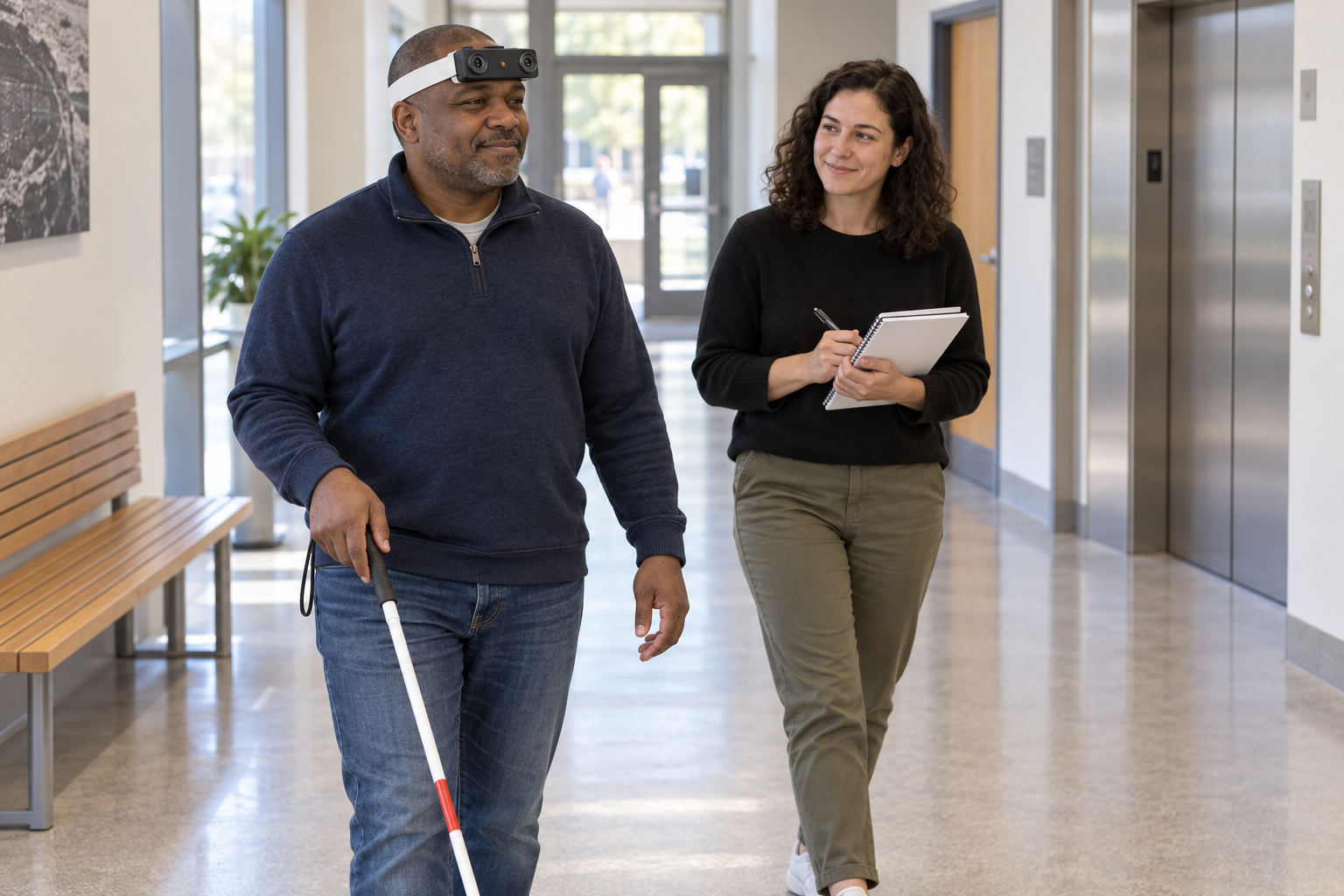
How can EGO R9 support assistive vision data collection?
- Record first-person indoor routes containing doors, corridor junctions, stair approaches, elevators, objects and passing people.
- Use R9 1080P global-shutter recording with a 120-degree lens; select standard 30 FPS or optional 60 FPS for the collection plan.
- Preserve R9 6-axis IMU samples above 200 Hz and the recording timestamps with each route sequence.
- Have researchers annotate visible scene features and route events, then organize the recordings for assistive vision dataset development.
Assistive vision research for people who are blind or have low vision benefits from recordings that preserve how an indoor scene changes during movement. A doorway grows larger during an approach, another person crosses a corridor, and an elevator entrance comes into view after a turn. EGO R9 provides a head-worn capture setup for collecting these first-person sequences. This workflow focuses on recording video and associated motion data that a research team can organize and annotate for its assistive vision dataset.
InCrowd-VI, by Marziyeh Bamdad, Hans-Peter Hutter and Alireza Darvishy, studies visual-inertial data in indoor spaces with pedestrians. Its research highlights the importance of changing crowd density, occlusion, layout and lighting when collecting data for human navigation research. Those scene factors inform the collection plan here. The R9 workflow and wording are original, and every R9 function and numerical parameter comes from the current EGO R9 product information.
Plan indoor routes around everyday access points
Build a short route around the indoor situations the dataset should represent: approaching a door, reaching a corridor junction, pausing near a stair entrance, approaching an elevator, and passing a bench or other everyday object. Define a clear start and end for each sequence. Plan the route with participating blind and low-vision people and the session coordinator, documenting the collection tasks and participant feedback. Record the building area, route identifier and session conditions in researcher-written notes.
Frame doors, corridors and objects with the R9 camera
R9 has a 120-degree wide-angle lens and supports camera-angle adjustment. Before collecting full routes, record a short trial from the participant’s usual head position. Check whether the doorway, corridor boundaries, floor area and relevant objects appear in the frames at the intended stages. Adjust the camera angle based on the recorded trial, then note that setting for the session. Review the actual framing again when a participant or route changes.
Record movement with global-shutter video
R9 records 1080P video at standard 30 FPS, with 60 FPS offered as an optional configuration. Select the configuration before recording and retain it in the session log. Its global shutter exposes the image pixels simultaneously within each frame, a relevant capture characteristic when the wearer turns at a junction or a person crosses the view. Inspect a trial under the building’s actual lighting, including transitions between a bright lobby and an interior corridor, before proceeding with the collection.
Keep IMU data and timestamps with each route
The R9 integrated 6-axis IMU samples above 200 Hz. Retain this inertial stream with the video to preserve movement of the head-worn unit during walking, turning and pausing. R9 also supports a synchronized shared unified clock and global timestamps. Keep those timestamps and the original sequence order when preparing route clips so researchers can associate the recorded view with its corresponding motion samples.
Collect variation in people, layout and lighting
Repeat selected routes under documented variations rather than collecting only one uninterrupted walk. Include a door in different visible positions, an elevator entrance before and after its doors open, and a corridor with different numbers of people. For a stair-related sequence, preserve the approach and the visible landing or stair entrance that the protocol specifies. Keep naturally occurring objects in the recording context and document their positions in the session notes. This provides the annotation team with explicit collection conditions for each sequence.
Create human-reviewed labels for assistive vision research
Researchers can manually label doors, stair entrances, elevator entrances, corridor junctions, objects and people where they are visible. Define whether each label refers to a frame, a region within a frame, or a time interval. For a doorway approach, reviewers might mark when the doorway first enters the view and when the recorded sequence reaches it. Pair these visual labels with participant feedback recorded by the study team, and keep the label definitions with the dataset. The labels and descriptions are researcher-created annotations.
Organize recordings and dataset splits
R9 supports MP4 video, H.265 encoding and T-Flash storage. After each session, check that the saved recordings open and contain the intended route intervals. Archive the video with its associated IMU data, timestamps, unit identifier, camera configuration, route notes and annotation files. When preparing training and evaluation groups, the research team can assign complete routes or collection sessions to each group and document the split, making it clear which recordings belong together.
Review each R9 collection session
Review a small selection of complete R9 sequences before expanding the collection. Check that the intended doorway, junction or elevator appears in the footage, that the route start and end are retained, and that the stored timestamps remain attached to the data. Review labels against the source video and resolve disagreements using the written annotation rules. This creates an organized record of everyday indoor movement for assistive vision research, built around R9’s documented video, inertial and timing functions.
Research source and EGO R9 specifications
InCrowd-VI — Marziyeh Bamdad, Hans-Peter Hutter and Alireza Darvishy, arXiv, 2024