
Basketball Skill Capture / Original EGO R8 basketball capture guide informed by Ego-Exo4D basketball research and the 2026 R8 specification / Sep 15, 2026
From Dribble to Release: Basketball Skill Capture with EGO R8
A repeatable basketball drill combines fast ball motion, hand interaction, pivots, and viewpoint changes. This guide places EGO R8 at the center of a first-person capture workflow using synchronized stereo global-shutter video, selectable-rate IMU data, unified timestamps, and per-unit calibration support.
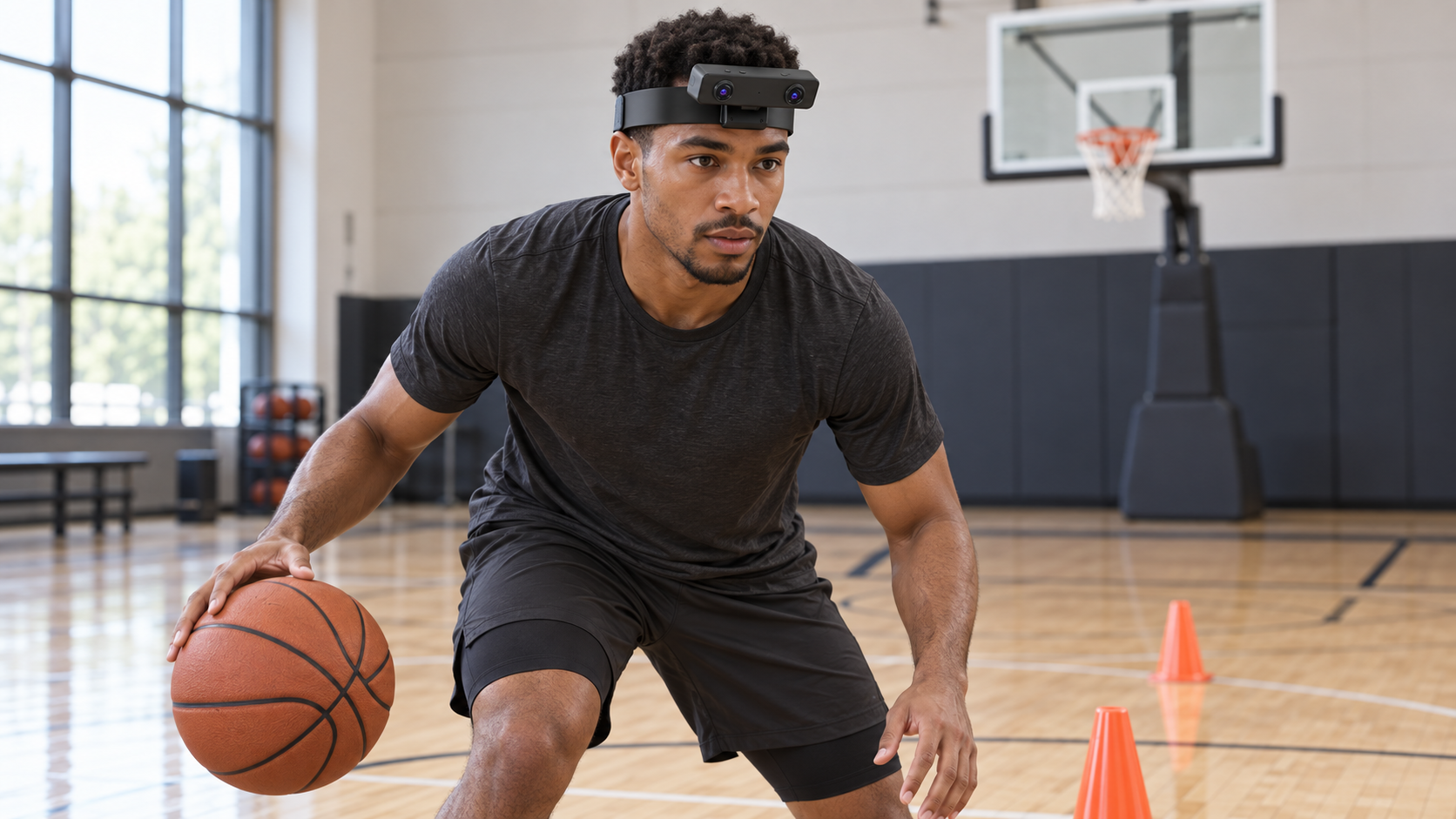
A player begins at a marked start point, dribbles through a short cone pattern, stops, pivots, gathers the ball, takes a set shot, retrieves the rebound, and returns to the start. Wearing EGO R8 keeps both hands available while recording the ball, court markings, hands, and changing viewpoint throughout the drill.
Ego-Exo4D includes basketball among its first-person physical-task scenarios and organizes skilled activity into repeated takes, task labels, and first-person narrations. This EGO R8 workflow applies that research idea to a compact basketball practice sequence whose visible phases can be reviewed consistently.
Use the same start mark, cone positions, shooting location, ball, and drill order for each take. Record a stationary opening, controlled dribble, direction change, pivot, gather, release, rebound, return path, and stationary ending so every R8 recording contains a complete and repeatable action timeline.
Position the R8 stereo camera module at the center of the forehead with the mounting bracket maintaining the designed gap between the camera bar and headband. Its fixed-focus cameras use 1/2.6-inch sensors with 3.0-micrometre pixels, and the listed fields of view are 180 degrees diagonal, 115 degrees horizontal, and 80 degrees vertical. Check the fitted angle at the actual dribbling and shooting posture so the ball, hands, and forward court area remain inside the recorded view.
R8 uses two global-shutter cameras. The main camera table lists 1600 by 1200 at 30 FPS, providing a defined stereo video profile for capturing quick hand, ball, and head movement during the drill. Review sample frames at the selected lighting and working distance before recording the full set of takes.
The separate USB video-mode table lists MJPG at 1920 by 1080 and 30 FPS, YUY2 at 1920 by 1080 and 15 FPS, and MJPG or YUY2 at 1280 by 720 or 640 by 480 and 30 FPS. Keep these USB modes separate from the main camera-table entry and confirm the delivered firmware and selected output configuration for the basketball capture session.
A common hardware trigger or shutter signal synchronizes the two R8 cameras. During a dribble, pivot, or release, paired stereo frames preserve the same capture instant across the left and right image streams, supporting frame-by-frame review of the visible action.
R8 integrates a 6-axis IMU with selectable 100, 200, or 500 Hz output. Unified timestamps connect camera frames and IMU samples within the R8 data record, allowing the project timeline to place head turns, stable set position, shot release, and recovery movement alongside the paired image streams.
Per-unit calibration support covers camera intrinsics, distortion coefficients, and stereo extrinsics where applicable. Associate the supplied calibration files with the correct R8 unit, firmware, and selected video mode, and keep those identifiers with each basketball take so the stereo dataset remains traceable.
Create event labels for stationary start, first bounce, cone reached, direction changed, pivot completed, ball gathered, shot released, rebound collected, return completed, and stationary end. Reviewers can place these labels against R8's paired video frames and IMU timeline to compare drill phases across repeated takes.
R8 is specified for USB 2.0, a 5 V supply, and a maximum current of 320 mA. Route the USB cable consistently for the defined drill and use the documented interface settings when connecting the capture host. The manufacturer specification also states that an SDK and API can be provided for projects that integrate R8 video, timestamps, IMU packets, and calibration data into their recording workflow.
A successful pilot produces complete repeated takes with synchronized left and right global-shutter frames, the selected IMU rate, unified timestamps, and the matched per-unit calibration files. These confirmed R8 capabilities create a structured first-person visual-inertial record of the basketball sequence from the opening stance through the final stationary frame.