
Cooking Workflows / Original EGO R8 application guide; research context from EPIC-KITCHENS / Sep 20, 2026
From Chopping Board to Pan: Cooking Workflow Capture with EGO R8
Follow a cook from ingredient preparation to stirring and plating. EGO R8 combines dual global-shutter images, hardware synchronization, selectable IMU rates, and unified timestamps to record the visible hand-and-tool sequence in a kitchen.
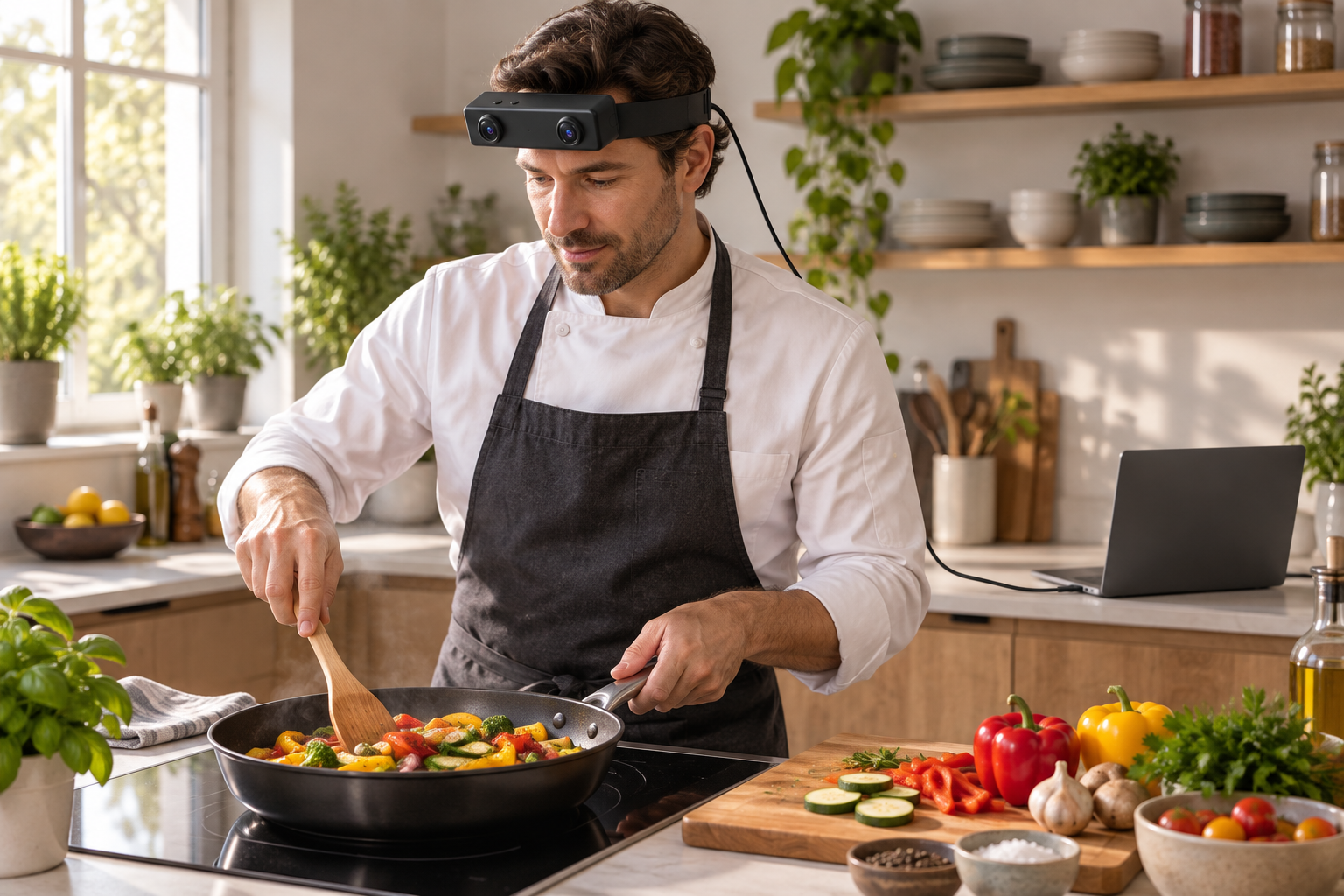
A cook gathers vegetables, prepares them on a board, moves a bowl toward the pan, and finishes by arranging the food on a plate. Each stage contains small changes in grip, tool position, and attention. Worn on the head, EGO R8 records these kitchen actions from the cook’s viewpoint. The capture session follows the hands and utensils through preparation, cooking, and plating, keeping the surrounding work surface visible as context.
The EPIC-KITCHENS project demonstrates the research interest in first-person kitchen activity, with recordings of everyday actions in natural kitchens. That research context informs the choice of scene here. This article’s R8 workflow is an original capture plan; its camera functions and numerical parameters come from the supplied R8 manufacturer specification and the current R8 product page.
Begin with a short framing trial at the chopping board and hob. Check whether both hands, the active utensil, the ingredient container, and the relevant work area appear in the R8 footage when the cook looks down. Review a reach toward the prepared ingredients and a return to the pan. These trial movements reveal where the useful action enters or leaves the camera view before the full cooking sequence is recorded.
R8 uses dual global-shutter cameras, with the pixels in each sensor exposed simultaneously. This is relevant to the brief movements in food preparation: a knife crossing the board, a spoon turning through a bowl, or a spatula moving across a pan. Inspect the trial footage around those transitions under the kitchen’s actual lighting. The two image streams retain views of the same workspace while the cook’s hands change position.
The two R8 cameras share a common hardware trigger or shutter signal. When a bowl tips toward the pan or the stirring hand changes direction, synchronized left and right images capture the action together. Preserve the pairing and frame order through the recording session. For review, choose a few moments at ingredient transfer, stirring, and plating, then check the corresponding images from both cameras.
R8’s built-in 6-axis IMU offers selectable sampling at 100, 200, or 500 Hz. It records the camera wearer’s movement as the cook looks from the board to the hob, turns toward a bowl, or leans toward the plate. Save the selected IMU rate with the session settings. Unified timestamps for image frames and inertial samples let the team examine those viewpoint changes alongside the visible kitchen action.
Plan the video profile before recording. The main R8 specification table lists 1600 by 1200 at 30 FPS. Its USB mode table separately lists MJPG at 1920 by 1080 and 30 FPS, YUY2 at that resolution and 15 FPS, and either format at 1280 by 720 or 640 by 480 and 30 FPS. The main table lists H.264/H.265 separately. Confirm the delivered resolution, format, and frame-rate combination against these differing entries, then retain that configuration with every cooking take.
R8 connects over USB 2.0 and is specified for a 5 V supply with a maximum current of 320 mA. Arrange the capture host and cable path around the chosen kitchen work area, and verify continuity through the planned reach and turn movements. The manufacturer specifies SDK/API provision for integration with recording software. Keep the selected video profile, IMU rate, and session identifier together in the capture record.
Per-unit calibration support includes camera intrinsics, distortion coefficients, and extrinsics where applicable. Associate the supplied files with the R8 device and its cooking session. As the team selects image pairs for later processing, retain those files with the source streams. This preserves the camera information behind each view of the chopping board, bowl, pan, and plate.
A reviewer can manually label ingredient preparation, transfer to the pan, stirring, utensil exchange, and plating on the recording timeline. Keep enough footage before and after each label to preserve the action’s context. The finished R8 session combines paired kitchen views with timestamped camera motion, providing an organized first-person record of how the cook handles ingredients and tools through the complete dish.
References: EPIC-KITCHENS project — https://epic-kitchens.github.io/2025 . R8 product specifications — https://egocamera.com/r8.html .