
Nursing Simulation & Care / Original EGO R9 capture guide informed by Nakazawa and colleagues' care-communication training research / Sep 11, 2026
The Moments Between Tasks: Nursing Care Simulation with EGO R9
A nursing-care simulation includes explanations, pauses, attention shifts, and hand movements. This R9 field guide uses wide-angle global-shutter video, high-rate IMU data, shared timing, and local recording for structured review.
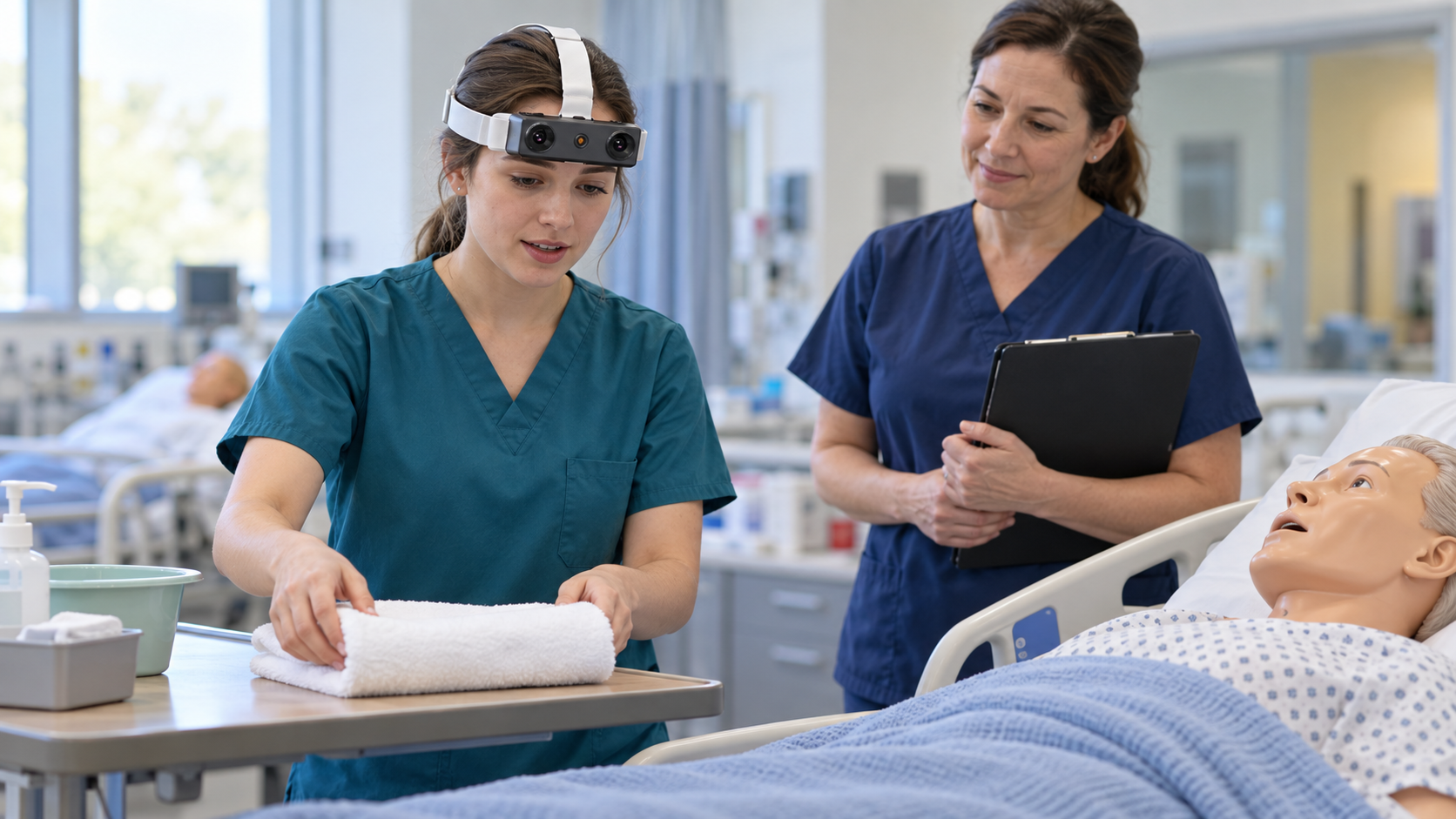
A bedside training sequence can look complete on a checklist while leaving important moments unexplained. Did the trainee introduce the next activity before reaching for an item? Was the supply tray still in view when attention returned to the person? Did a pause reflect waiting for a response or searching for equipment? First-person recordings can add evidence to an educator-led discussion, especially when communication and object handling occur in the same short sequence.
Nakazawa and colleagues' 2023 PLOS ONE study examines observable communication during simulated care training with dolls and simulated patients. Its emphasis on the timing of explanations and practical actions motivates this R9 capture workflow for a structured skills-laboratory rehearsal.
An educator can define a simple non-invasive scenario: approach the bedside, explain the planned comfort-care activity, organize a towel and other training supplies, place an item on a tray, and close the exchange. The camera records the rehearsal; the educator supplies the approved care procedure and assessment criteria.
EGO R9's head-mounted form allows both hands to remain available. Its adjustable camera angle and 120-degree wide-angle lens can include the near-hand workspace, supply tray, and part of the interaction area in one frame. Test the view at the bed height and working distance used in training. Too much downward tilt may hide communication context; too little may lose the object being handled. Set framing with a mannequin first and keep the setup consistent between trainees where practical.
The confirmed standard specification is 1080P global-shutter video at 30 FPS. A trainee may turn between the simulated care recipient, the bedside tray, and the educator; global shutter helps avoid rolling-shutter skew during those turns. Exposure blur and occlusion can still make actions unclear. Use a rehearsal with slow and normal-paced turns, towel placement, and retrieval of a large training item, then inspect the frames for usable hand and object detail under the laboratory's actual lighting.
Optional 60 FPS and 1920 by 1200 configurations provide choices to discuss before ordering. Confirm each option and any supported combination. A brief handoff may require different sampling from an extended conversation. Document the delivered mode, working distance, lighting, and any preprocessing so recordings from different sessions can be compared fairly.
R9's 6-axis IMU above 200 Hz adds a record of the wearer's acceleration and rotation. Shared clock support and global timestamps can help align head turns with the video timeline. Verify timestamp monotonicity, sensor continuity, axis conventions, and measured image-to-IMU alignment on the actual unit.
Camera-intrinsics support and a consistent 120-degree field of view help a research team repeat the same bedside-simulation framing across trainees. Store the intrinsics reference, R9 unit identifier, camera angle, bed height, working distance, and video mode with each session.
Microphone support can preserve consented explanations and pauses for debriefing. Test whether speech remains intelligible when the trainee faces away from the educator or handles fabric and supplies. Mark whether an explanation preceded or followed a visible action, while allowing uncertainty when speech is obscured. H.265 recording in an MP4 container supports a conventional media-review workflow, but transcription, semantic labels, and educational conclusions remain separate tasks. Let the learner explain their reasoning rather than inferring intention solely from a clip.
Separate technical acceptance from educational evaluation. Technical review checks hands and task objects in view, readable temporal boundaries, file integrity, missing frames, IMU gaps, and approved audio quality. Educational review uses the institution's criteria and a qualified educator. Trial a small set of clips with two reviewers and record where their observations disagree.
Prepare the skills-laboratory session with a consistent bed position, training supplies, camera angle, R9 unit identifier, recording mode, audio setting, task version, and review manifest. Link the H.265 MP4 files, IMU intervals, global timestamps, and file checksums to the matching rehearsal record.
For an R9 evaluation, bring one approved simulation, its observation criteria, and the required media and sensor outputs. The product's relevant strengths are hands-free wide-angle imaging, global-shutter capture, high-rate inertial sensing, shared timing support, and local recording. With a checked capture setup and educator-led interpretation, teams can examine the small transitions between seeing, explaining, reaching, and responding.