
Office Workflow Research / Original EGO R8 office workflow guide based on the 2026 R8 specification / Sep 15, 2026
Across the Desktop: Office Workflow Capture with EGO R8
Desk setup, cable routing, document handling, and device handoffs contain fine actions that benefit from R8's synchronized stereo global-shutter video, selectable-rate IMU, unified timestamps, and per-unit calibration support.
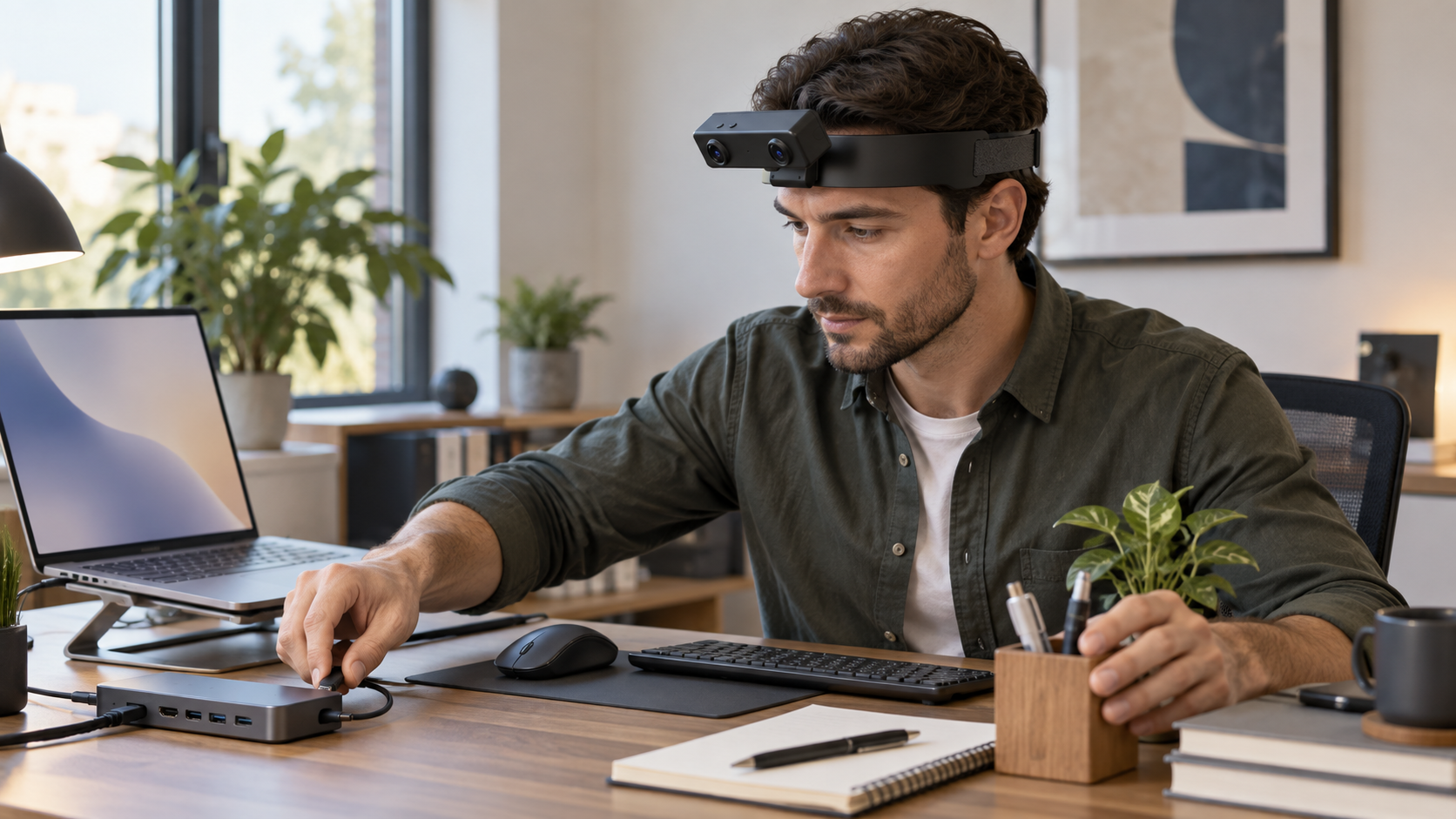
An office worker connects a docking cable, places a peripheral, checks a notebook, and returns an accessory to its storage point. These small actions are common in usability studies, onboarding material, and automation research, yet a fixed camera may lose the connector state or the object hidden behind a hand. EGO R8 can add a hands-free stereo view of the desktop sequence while preserving the natural working posture.
Potential uses include documenting a repeatable equipment-setup procedure, studying visible hand-object interaction, and preparing first-person examples for interface or robot-learning research. R8 records video and motion data.
Define a repeatable office sequence: connect one docking cable, place a keyboard accessory, move a notebook between two marked locations, arrange a desktop item, inspect the visible layout, and complete the session. Use the same desk height, chair position, lighting, and object set across the pilot so R8 capture results remain comparable.
The R8 specification lists two global-shutter cameras with fixed focus, a 1/2.6-inch sensor, 3.0-micrometre pixels, and fields of view of 180 degrees diagonal, 115 degrees horizontal, and 80 degrees vertical. This wide view can include both hands, the docking hub, keyboard, and part of the monitor environment. Set the angle while seated and standing if both postures are required, and check the real working distance because small ports and cable orientation may still be difficult to resolve.
The main camera table documents 1600 by 1200 at 30 FPS. Global shutter helps reduce line-by-line distortion when the wearer turns between the screen and desk or moves a cable across the frame. Test representative plug, rotate, place, and reach actions at normal speed, then inspect individual frames for connector orientation and object boundaries.
R8's USB mode table separately lists MJPG at 1920 by 1080 and 30 FPS, YUY2 at 1920 by 1080 and 15 FPS, plus MJPG or YUY2 at 1280 by 720 and 640 by 480 at 30 FPS. Confirm the actual firmware and host combination instead of assuming every format and frame rate is simultaneously available.
The two cameras use a common hardware trigger or shutter signal. Verify synchronized frame pairs with a moving test object before the desk sequence, then examine pairing, ordering, and continuity during fast cable movement. Store the paired recordings with the corresponding per-unit intrinsics, distortion coefficients, and stereo extrinsics where applicable.
The built-in 6-axis IMU provides listed 100, 200, or 500 Hz sampling options, while unified timestamps relate camera frames and inertial samples within the R8 data path. This can help locate head turns, seated transitions, and stable inspection intervals. Validate the selected rate, units, axes, timestamp order, gaps, and measured alignment on the final unit.
The documentation describes per-unit intrinsics, distortion coefficients, and stereo extrinsics where applicable. Keep the calibration package with the device reference, firmware, and video mode, then verify that the correct files are applied to the correct streams. Wide-angle edge distortion and close objects deserve particular review.
A compact annotation scheme might include cable selected, connector oriented, connection attempted, connection completed, peripheral placed, notebook moved, layout checked, and session ended. Add separate fields for visibility, occlusion, uncertainty, and reviewer confidence.
R8 is documented for USB 2.0, 5 V supply, and a maximum current of 320 mA. Test the intended laptop or workstation port, hub compatibility, cable retention, sustained load, and controlled reconnect behavior. The source document says an SDK and API can be provided, so confirm operating-system support, stereo-frame access, timestamp and IMU packet formats, calibration delivery, buffering, and error handling before integrating with an office research application.
The pilot passes when a reviewer can reconstruct the defined desk sequence and the stereo, IMU, timing, calibration, and host records remain continuous and traceable. R8's dual global-shutter cameras, 100, 200, or 500 Hz IMU modes, unified timestamps, USB 2.0 interface, and available SDK/API create a practical first-person capture platform for controlled office workflow research.